
Day 3. I asked for a full RPG. In a browser. In one day.
The Prompt#
“I want to create a browser-based RPG with isometric graphics, character customization, turn-based combat, quests, and a save/load system.”
That is an absurd amount to ask for in a single prompt. An RPG is not a small game. There are character classes, inventory systems, dialogue trees, quest tracking, combat mechanics, map exploration. Any one of those is a project on its own. I wanted to see what would happen if I asked for all of them at once.
How It Was Built#
Watchfire took the prompt and broke it down into tasks. The package.json still has the fingerprint of the first task in its name: watchfire-0000-project-setup---initialize-nex. From the project structure, I can see the work was split across the core systems: project setup with Next.js and Pixi.js, type definitions, game state management, map data for three zones (town, forest, dungeon), combat engine, item and enemy databases, dialogue system, quest database, isometric rendering, and then all the UI components on top of that.
The component list alone tells you how much got built: CharacterCreation, CombatUI, DialogueBox, EquipmentPanel, GameHUD, GameMenu, Inventory, IsometricWorld, ItemTooltip, MainMenu, QuestLog, SaveLoadMenu, SettingsPanel, VictoryScreen. That is 14 React components plus the game logic layer underneath.
I did not sit there guiding each piece. I came back to a working game and started playing it.
What I Got#
This one genuinely surprised me.
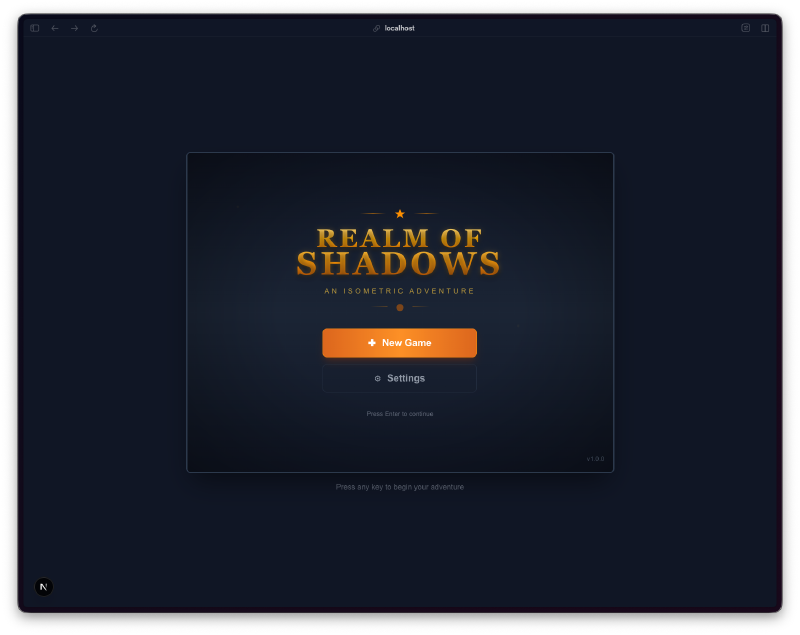
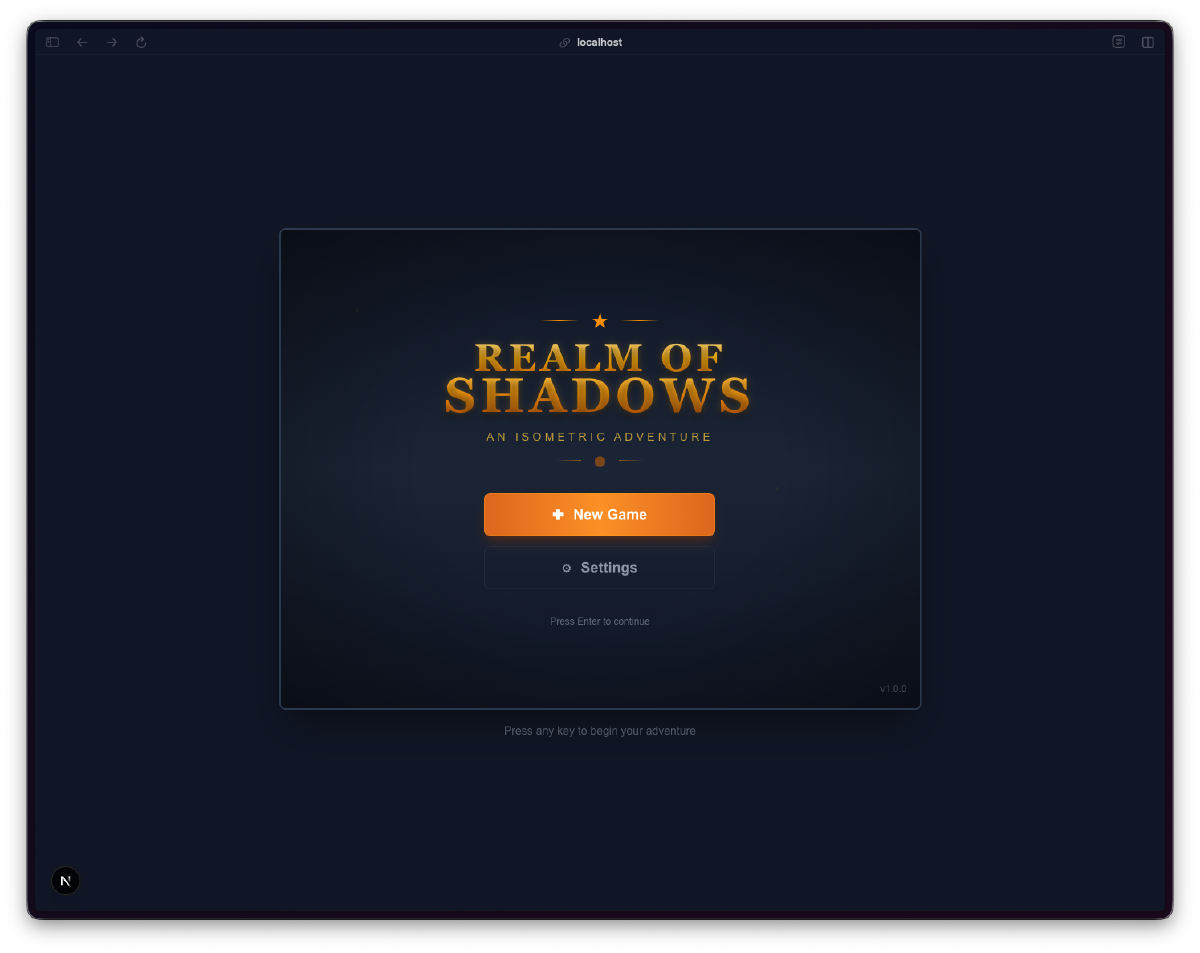
It named itself. “Realm of Shadows: An Isometric Adventure.” I never gave it a name. It picked one, designed a title screen with stylized text, and added a settings option on the main menu. The dark navy and gold color scheme runs through the entire game.
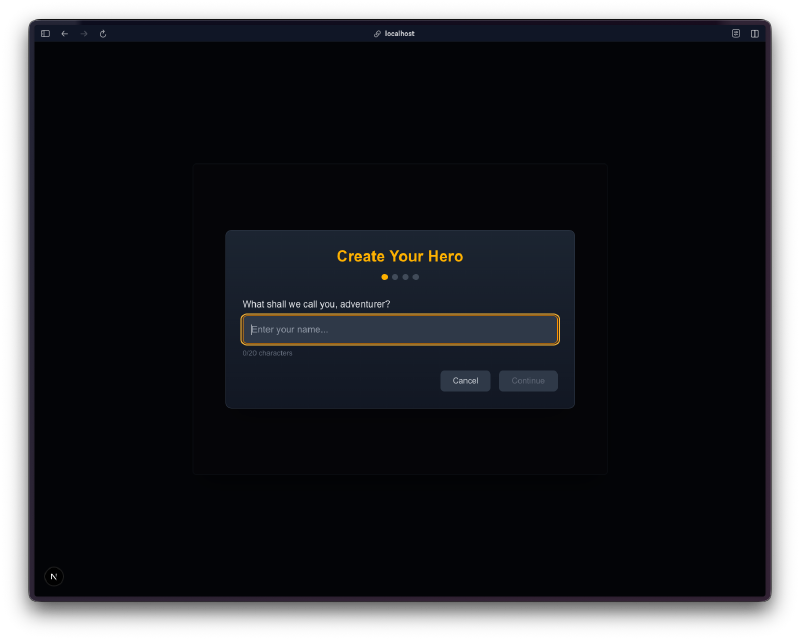
Character creation is a multi-step wizard. You enter a name, pick a class, and review your stats before starting. It walks you through three screens with progress dots at the top. Each class (Warrior, Mage, Rogue) has different stat distributions and starting equipment.
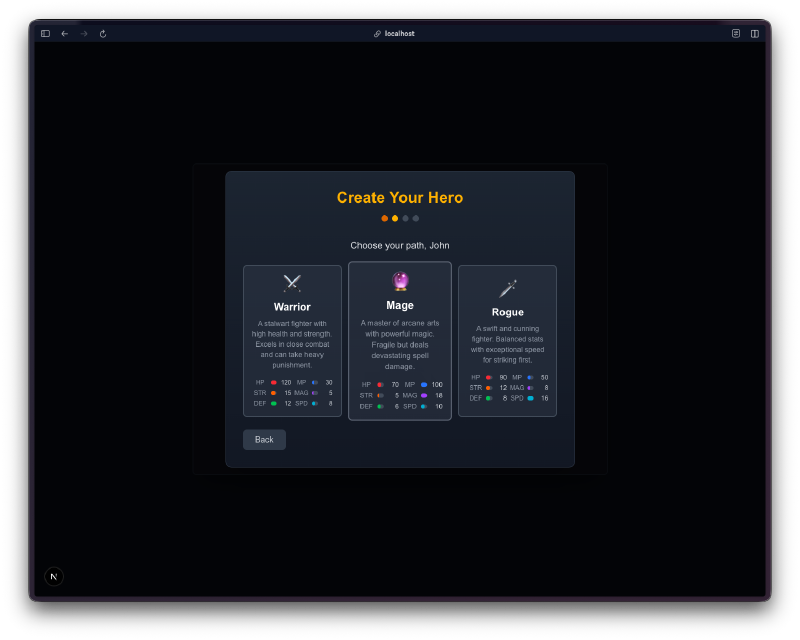
The class selection cards show stat breakdowns for each option. Warrior gets high health and strength. Mage gets high magic and mana. Rogue gets balanced stats with high speed. There are little icons for each class and colored stat bars. This is polished UI work.
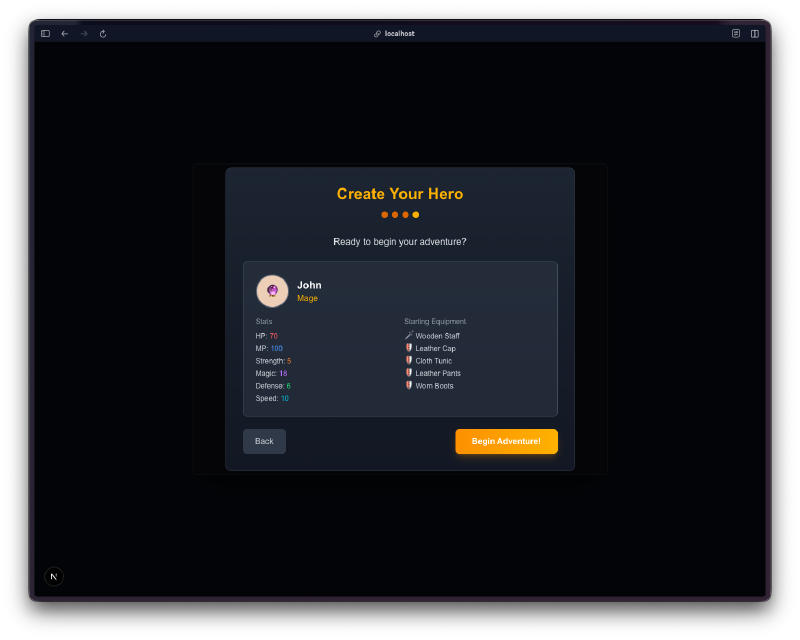
The summary screen shows your starting equipment. A Mage named John starts with a Wooden Staff, Cloth Tunic, Leather Pants, and Worn Boots. You can see all your base stats before committing. This is the kind of detail that makes a game feel finished.
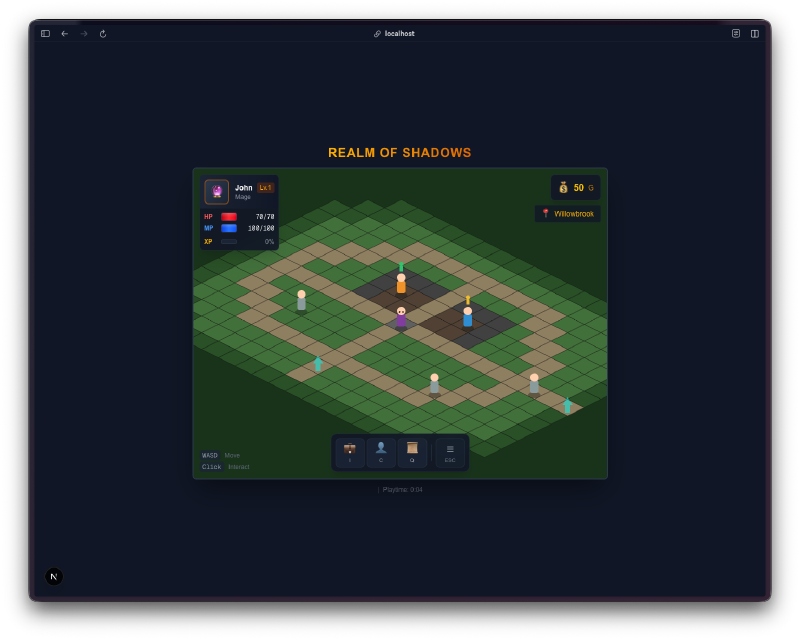
The isometric world actually works. There is a town with buildings, paths, and NPCs walking around. Your character has a HUD in the top left showing HP, MP, and level. There is a minimap in the top right showing “Willowbrook” as the current location. You move by clicking tiles or using WASD.
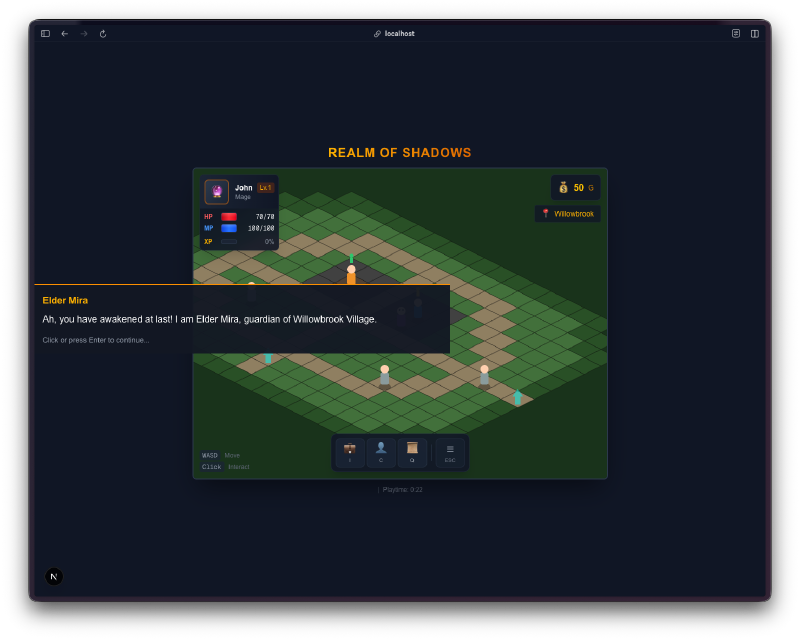
NPCs have dialogue trees. Elder Mira greets you: “Ah, you have awakened at last! I am Elder Mira, guardian of Willowbrook Village.” The dialogue box appears at the bottom of the screen with the NPC name highlighted in gold. You click or press Enter to continue.
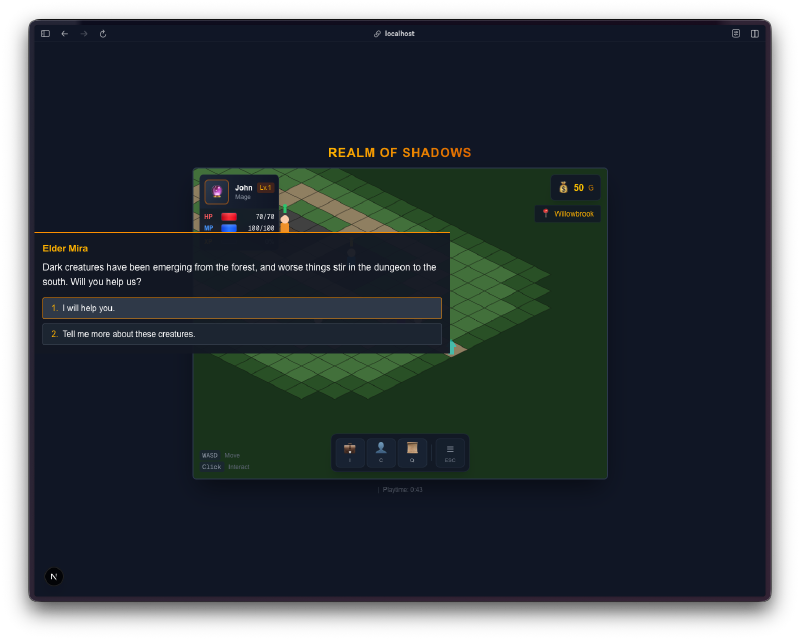
The dialogue branches. Elder Mira asks if you will help with dark creatures in the forest. You get two choices: “I will help you” or “Tell me more about these creatures.” This is not just flavor text. It connects to the quest system.
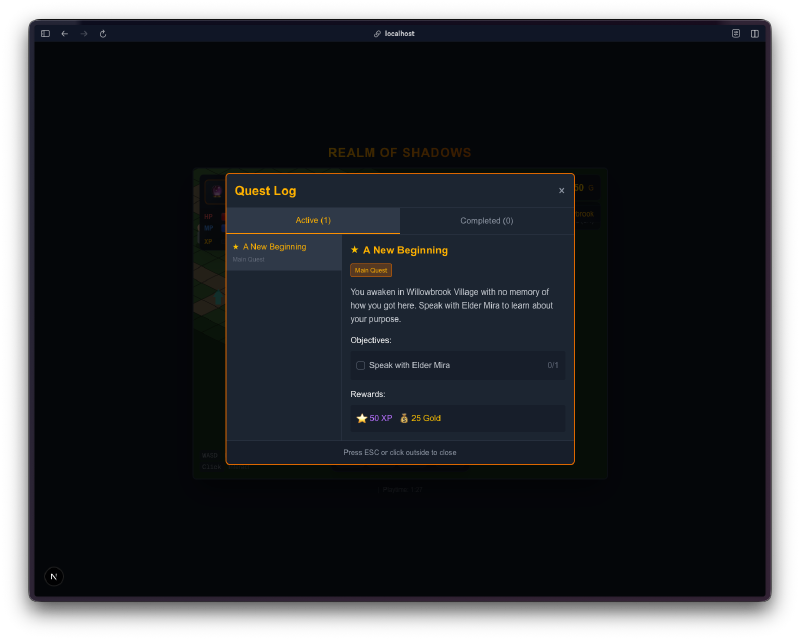
There is a full quest log. It tracks active and completed quests with tabs. “A New Beginning” is the main quest, marked as the main story. It shows objectives (“Speak with Elder Mira”), rewards (gold and XP), and quest descriptions. The UI has the same gold and dark styling as everything else.
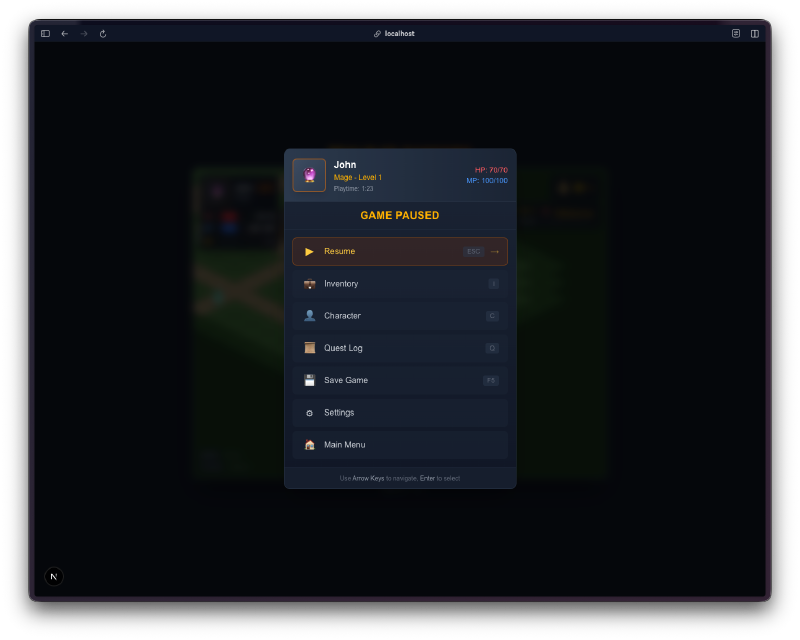
The pause menu is comprehensive. Resume, Inventory, Character, Quest Log, Save Game, Settings, Main Menu. It shows your character name, class, level, HP, and MP at the top. This is not a quick hack. Someone thought about the information hierarchy here.
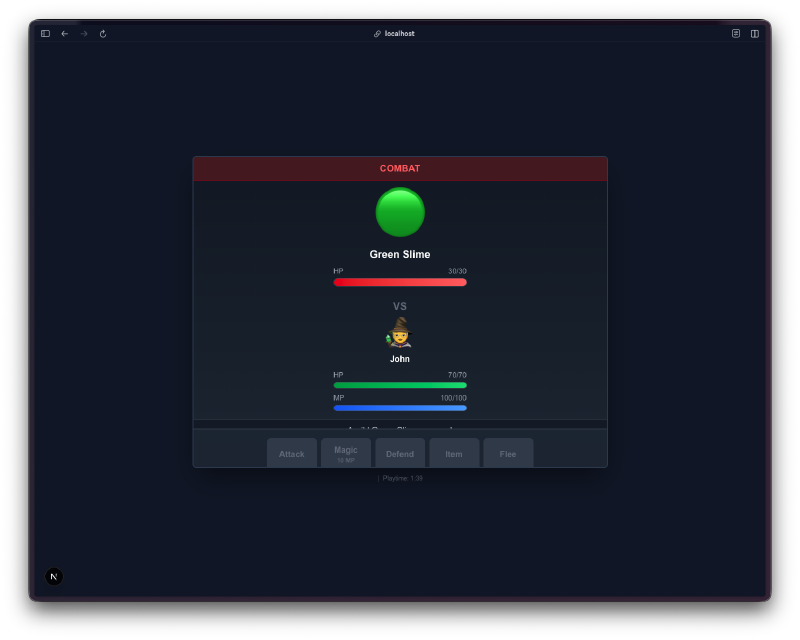
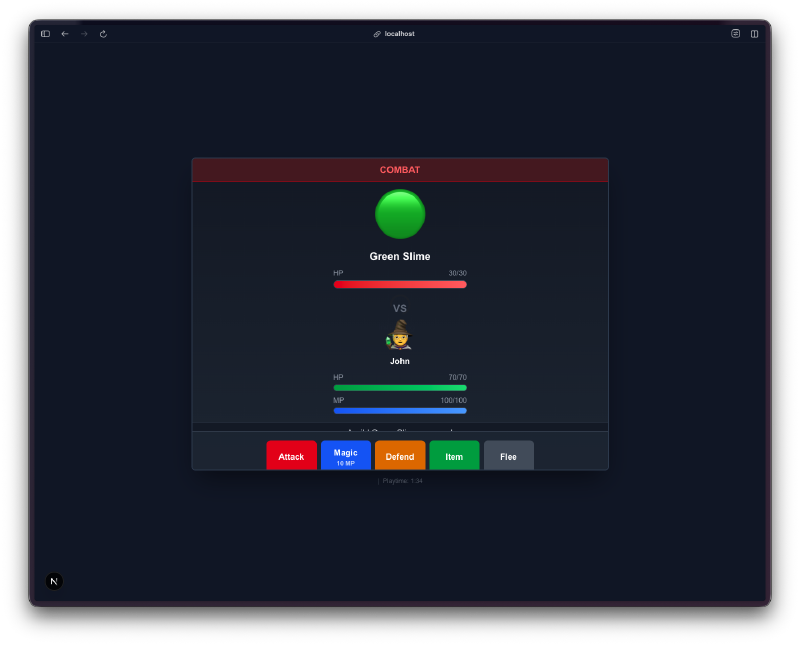
Combat is turn-based with real options. You fight a Green Slime. Both you and the enemy have HP bars. Your action bar at the bottom gives you five choices: Attack, Magic, Defend, Item, Flee. Each is color-coded. The combat screen is clean and readable.
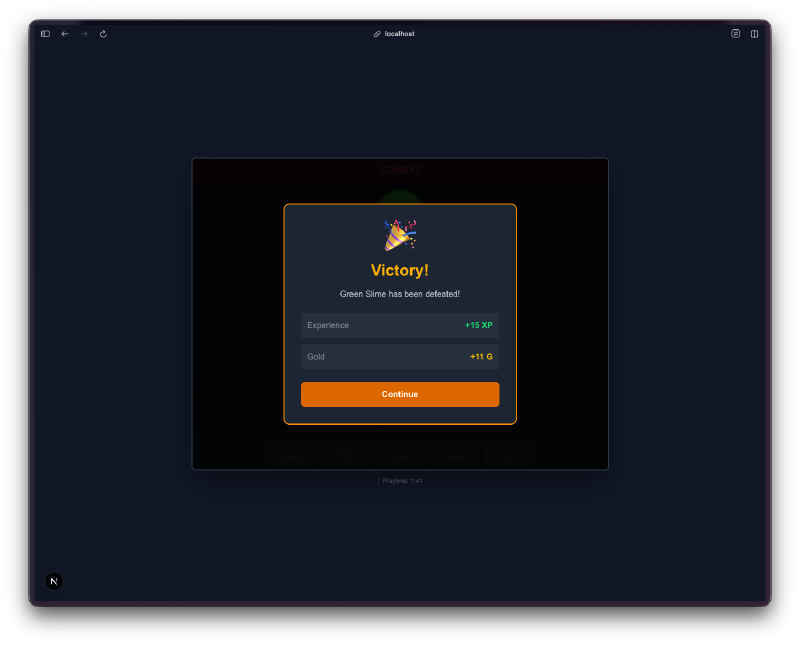
Victory gives you XP and gold. After defeating the Green Slime, you get experience and currency. The victory screen shows exactly what you earned with a continue button. Simple, satisfying feedback loop.
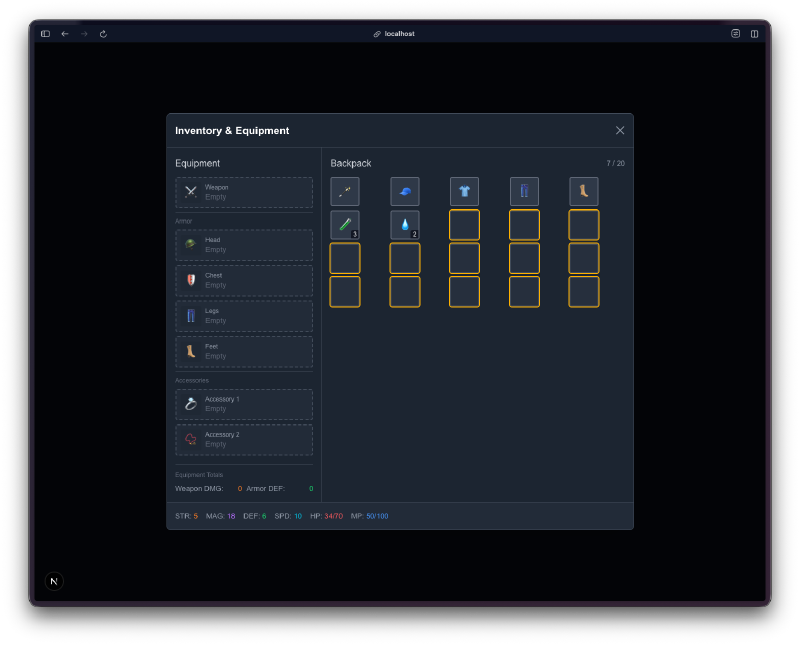
The inventory system has equipment slots and a backpack. There are slots for weapon, head, chest, legs, feet, and two accessory slots. Your backpack shows items in a grid. You can see weapon damage and armor defense stats at the bottom.
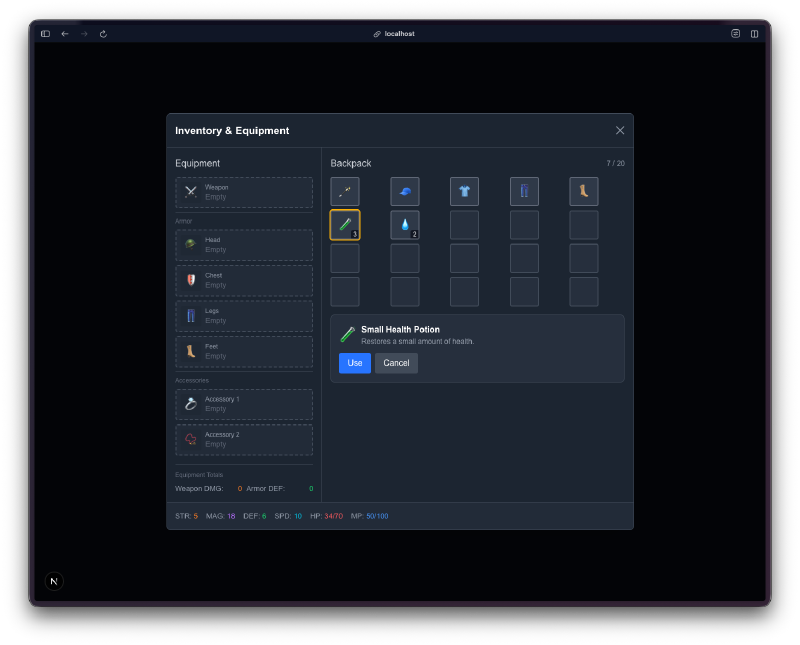
Items have tooltips and actions. Hovering over a Small Health Potion shows its description (“Restores 30 HP”) with Use and Cancel buttons. This is a real inventory system, not a placeholder.
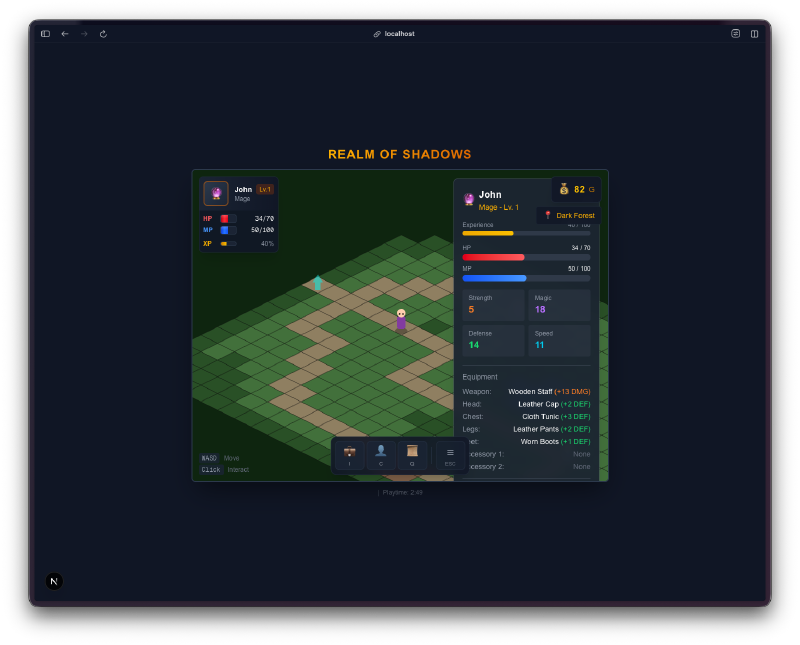
The character stats panel shows everything. Your full stat sheet overlaid on the game world. Name, class, level, experience bar, HP, MP, and all individual stats. It also lists your equipped items with their stat values.
The Bug Reports#
I did not log specific bugs on this one beyond the initial playtesting. The game worked on first load, which was a nice change from day 1. The NPC interactions, combat flow, and save system all functioned without me filing issues. That said, it is still rough around the edges. The isometric movement can feel a bit stiff, and the combat could use more enemy variety. But nothing was broken.
The Numbers#
- 34 source files across components, game logic, hooks, types, and utilities
- 3 map zones (town, forest, dungeon) with isometric tile data
- 14 React components for all the game UI
- 6 game engine modules (combat, items, enemies, dialogue, quests, isometric rendering)
- Next.js 16 + Pixi.js 8 + React 19 + TypeScript tech stack
- Total hands-on time: maybe 20 minutes of playing and exploring
Try It#
WASD or arrow keys to move. Click NPCs to talk. I, C, Q for inventory, character, and quest log. ESC for menu. F5 to quick save.
Day 3 Verdict#
This is the project where I stopped thinking of this challenge as a novelty. A turn-based RPG with isometric graphics, three character classes, branching dialogue, a quest system, inventory management, equipment slots, turn-based combat, and persistent saves. In a browser. From one prompt.
I have never built an RPG. I have never implemented an isometric rendering engine. I have never designed a combat system or an equipment system or a dialogue tree. I would not know where to start with any of those individually, let alone all of them together. This would have been a months-long project for me, assuming I could finish it at all.
Is it a full RPG? Not really. It has the skeleton of one. The content is thin, there are maybe a handful of encounters, and the story is a generic fantasy setup. But all the systems are there and they work together. The character you create carries through to combat, your equipment affects your stats, quests track your progress, and saves persist across sessions. The architecture is sound.
What strikes me most is the UI quality. The gold-on-dark color scheme, the multi-step character creation wizard, the stat bars, the quest log with tabs, the inventory grid. None of that was in my prompt. I asked for systems and got a designed experience. That is the part I could not have done myself even with unlimited time. I am not a designer.
The cost of building something like this just collapsed. Not the cost of building a great RPG. That still takes years of content, balancing, and polish. But the cost of building a working RPG prototype with real systems? That went from months to hours.
This is day 3 of 30 Days of Vibe Coding. Follow along as I ship 30 projects in 30 days using AI-assisted coding.