
Day 6. Time to leave the browser behind — and leave my comfort zone entirely.
Every project so far has been TypeScript, React, Canvas. Languages and frameworks I know. Today I wanted to test something different: what happens when I ask the AI to build with tools I’ve never touched?
The Prompt#
“Build a terminal Pomodoro timer in Go using Bubble Tea with large ASCII countdown, session tracking with SQLite, daily and weekly stats, task labels, and customizable durations.”
I’ve never written Go. I’ve never used Bubble Tea. I’ve never touched Lip Gloss. I couldn’t tell you the difference between a goroutine and a channel without looking it up. The entire tech stack in this prompt is foreign to me.
That was the point. Five days of building web games in familiar territory had me wondering: is the AI only good at things I already understand? What if I throw it a stack I can’t even review properly?
How It Was Built#
Watchfire took the prompt and broke it down the same way it did with the TypeScript projects. The fact that this was Go instead of TypeScript didn’t seem to matter. It chose Bubble Tea for the TUI framework, Lip Gloss for styling, SQLite for persistence. No web server, no Electron wrapper, no browser. Just a binary you can run from anywhere.
The project landed as a clean Go module with 11 source files across 6 packages: main, ascii, config, db, stats, timer, and ui. Each package has a clear responsibility. The timer package handles the state machine (idle, running, paused, finished). The UI package renders everything with Bubble Tea. The database package manages SQLite persistence. The stats package aggregates session data for daily and weekly views.
It even came with an install script, a Makefile, and proper CLI flags using a custom config loader that merges a YAML config file with command-line arguments. I wouldn’t know how to set any of this up in Go myself.
What I Got#
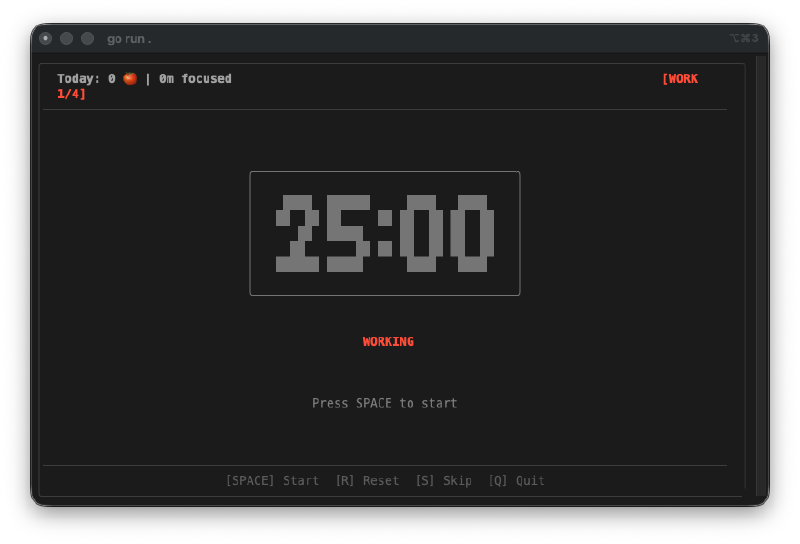
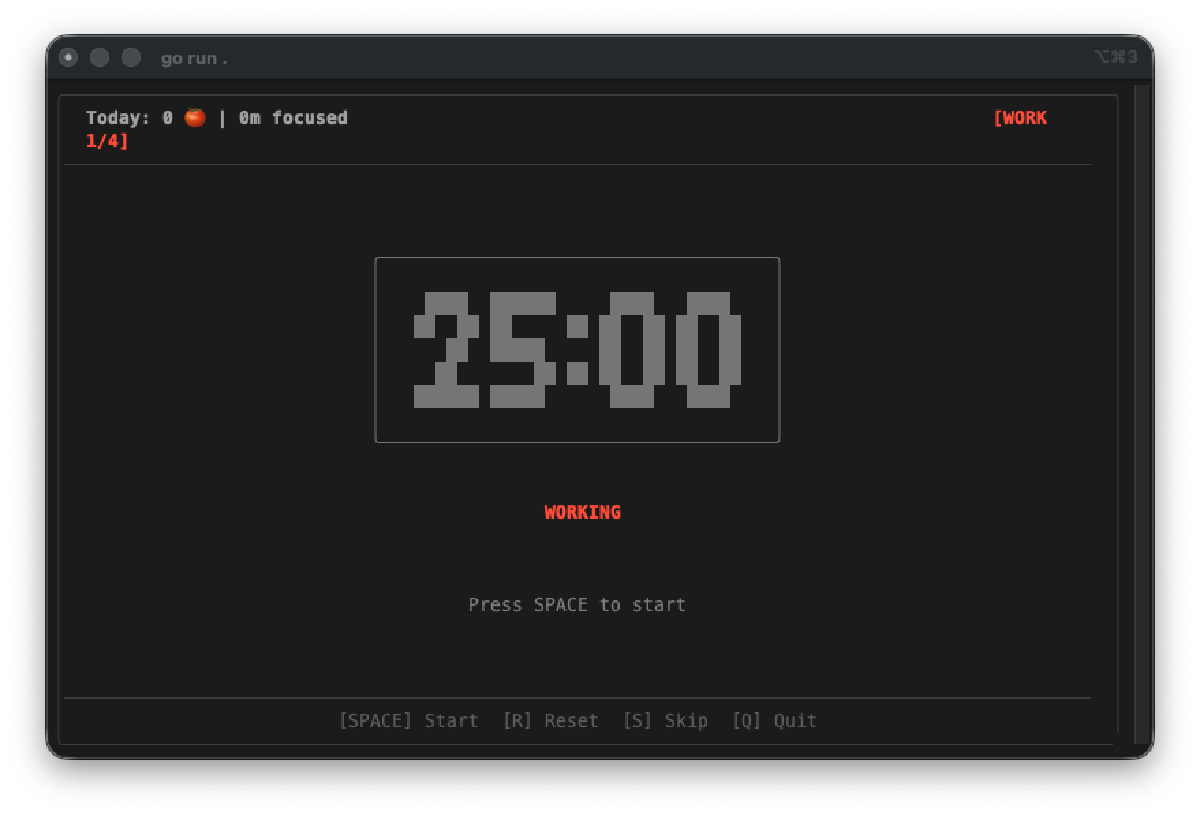
Big ASCII numbers. The countdown display uses custom block-character digits that are 5 lines tall. They’re readable from across the room, which is kind of the point of a Pomodoro timer. You should be able to glance at it and know how much time you have left.
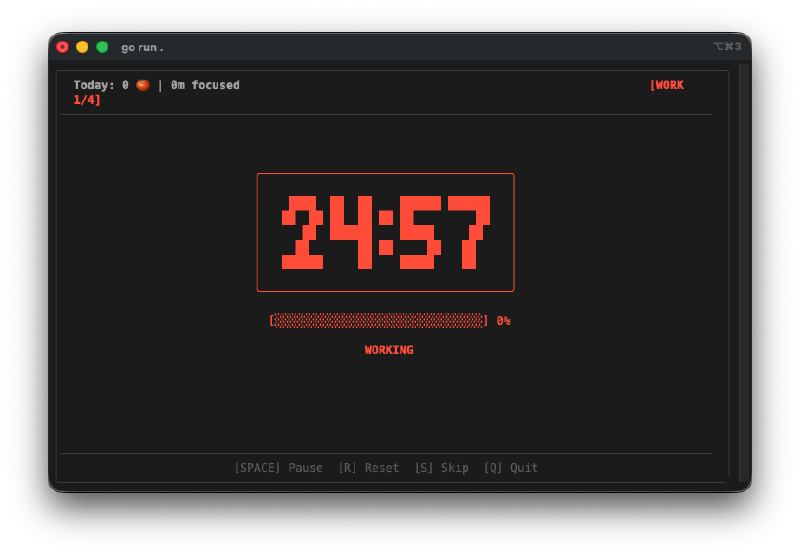
Color-coded sessions. Work sessions glow red. Short breaks turn green. Long breaks get a different shade. The whole UI shifts color based on what phase you’re in, so you know at a glance whether you should be working or resting.
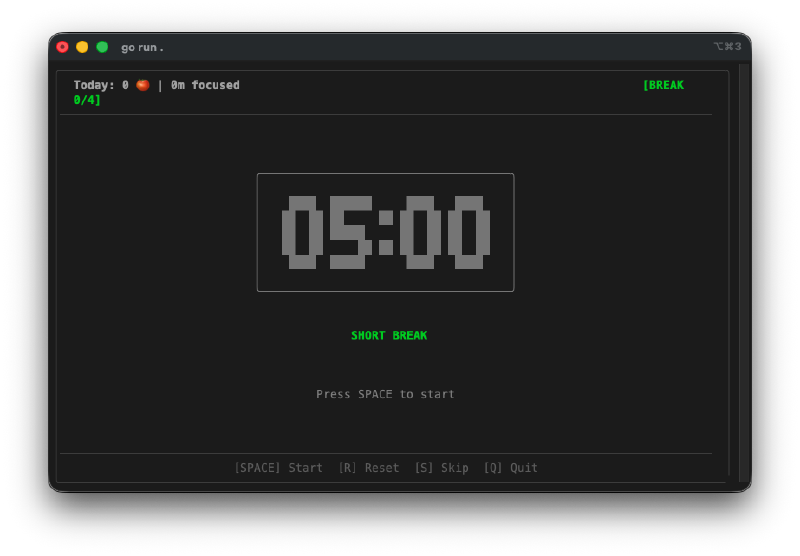
It tracks everything. Every session goes into a local SQLite database at ~/.pomo/sessions.db. The header bar shows your daily stats in real time: how many pomodoros you’ve completed and total focus time. Run pomo stats and you get a weekly breakdown with ASCII bar charts.
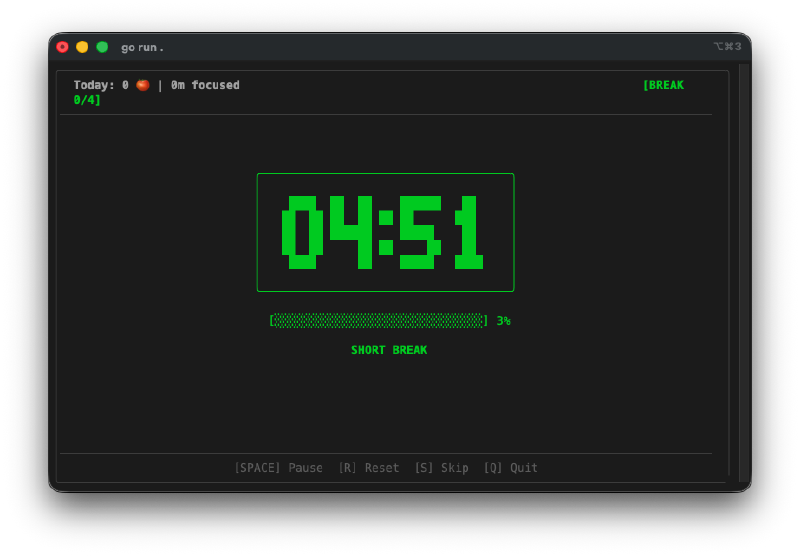
The session cycle works. Four work sessions, then a long break. The progress badge in the top right shows where you are in the cycle (e.g., [WORK 1/4]). After the fourth work session, it automatically switches to a 15-minute long break instead of the usual 5-minute short break.
Task labels. Run pomo -t "Write blog post" and the task name shows up in the header. It also gets stored in the database, so when you look at your stats later, you can see what you were actually working on.
Terminal bell. When a session ends, it rings the terminal bell. Simple, effective, and it works with whatever notification system your terminal supports.
The Bug Reports#
None this time. The timer worked correctly on the first build. Start, pause, resume, skip, reset, session transitions, all of it functioned as expected. The keyboard controls were responsive and the state machine handled edge cases cleanly.
The Numbers#
- 11 Go source files across 6 packages
- 1 test file with timer state machine tests
- 4 session types: work, short break, long break, and the transitions between them
- SQLite persistence for session history
- YAML + CLI config with sensible defaults (25/5/15 minute cycles)
- Total hands-on time: about 20 minutes of testing and tweaking the prompt
Try It#
Install it with:
go install github.com/nunocoracao/Vibe30-day06-pomodoro@latestOr use the install script:
curl -sSL https://raw.githubusercontent.com/nunocoracao/Vibe30-day06-pomodoro/main/install.sh | bashThen just run pomo in your terminal.
Day 6 Verdict#
This one answered a question I’d been carrying since day 1: does AI-assisted coding only work when you already know the stack?
No. It doesn’t. I can’t write Go. I can’t build a TUI with Bubble Tea. I wouldn’t know how to structure a Go module with six packages, set up SQLite bindings, or write a Makefile for cross-compilation. But the tool exists, it works, and it’s something I actually use every day. A single binary, no dependencies at runtime, works in any terminal.
What surprised me most was the architecture. Six packages with clean boundaries. A proper state machine for the timer. Graceful database handling where if SQLite fails, the timer still works — you just don’t get stats. That’s the kind of decision a senior developer would make, and it came from a prompt written by someone who doesn’t know the language.
This changes what “non-standard” means. If I can ship a polished Go TUI app without knowing Go, then the barrier to trying unfamiliar tech stacks just disappeared. The cost of experimentation dropped to near zero.
Six days in and this is the first project I’ve kept running after writing the blog post.
This is day 6 of 30 Days of Vibe Coding. Follow along as I ship 30 projects in 30 days using AI-assisted coding.