
Day 9. I wanted a task board that lives in the terminal and that Claude can also read and write to.
The Prompt#
“Build a terminal kanban board in Go with an MCP server so Claude can manage tasks.”
That was the seed. Watchfire expanded it into 13 tasks covering the full scope: three-column board with vim navigation, Bubble Tea UI, JSON persistence, a file watcher for auto-refresh, an MCP server mode for AI integration, CLI commands for quick task management, and GoReleaser for distribution.
How It Was Built#
The 13 tasks took it from nothing to a fully packaged release. The first nine tasks built up the core kanban board: the board model, card rendering, drag-and-drop between columns, and all the Lip Gloss styling to make it look good in the terminal. Task 9 added the MCP server mode. Task 10 brought in real-time file watching. The last three handled CLI commands, GoReleaser config for cross-platform binaries, and the README.
The architecture splits cleanly into packages: task for the domain model, storage for JSON persistence, watcher for filesystem monitoring, mcp for the MCP server, and cli for all the Cobra commands. The entry point routes between three modes depending on how you invoke it: TUI mode (default), CLI mode (with subcommands like add or list), and MCP server mode (with tasktui mcp).
What I Got#
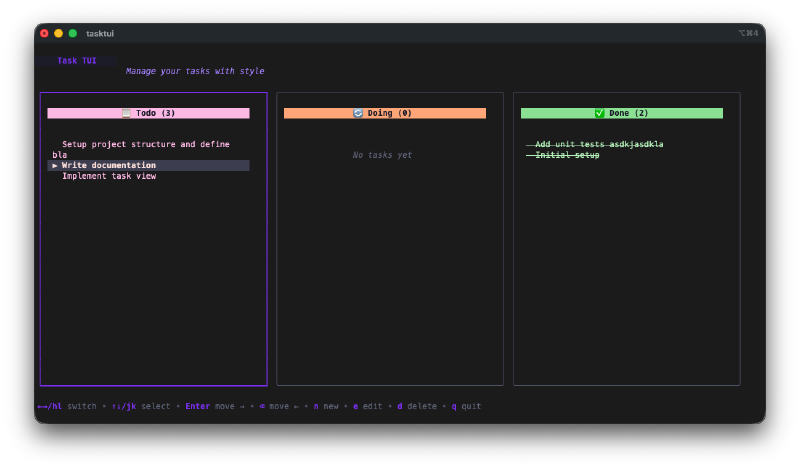
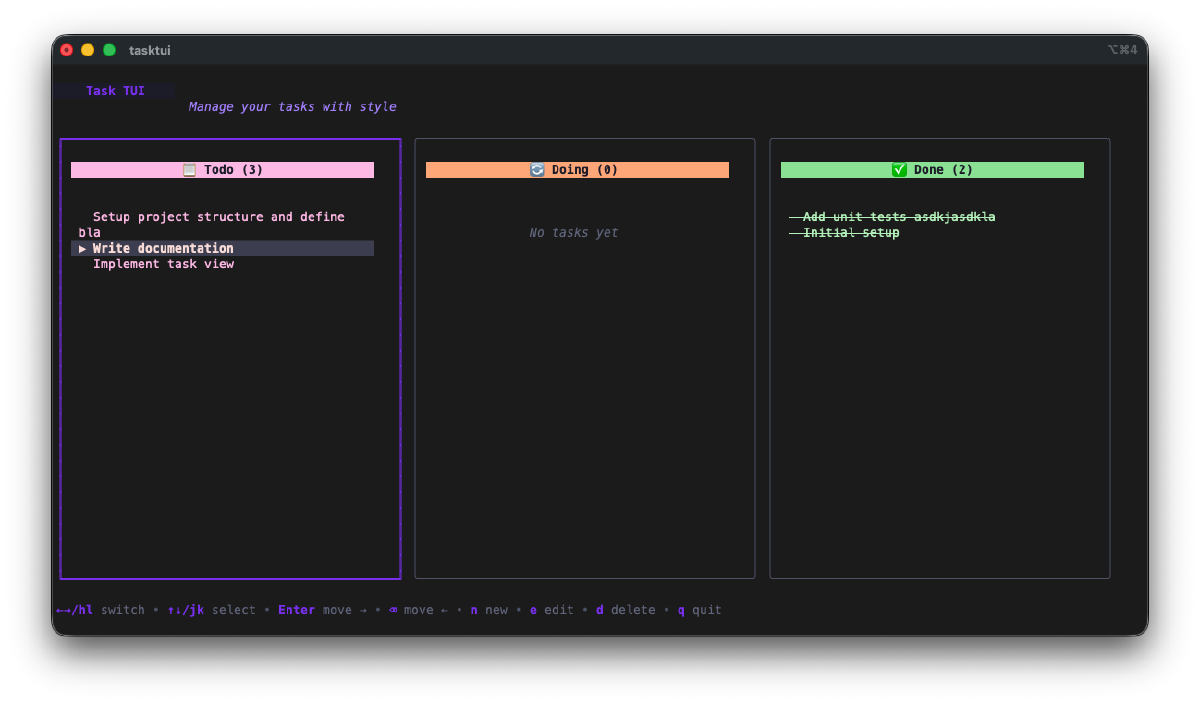
The kanban board looks great in the terminal. Three columns with color-coded headers: red/pink for Todo, orange/yellow for Doing, green for Done. Each card shows the task title and description. The selected card gets a highlighted border. You navigate with h/l to switch columns and j/k to move between tasks within a column.
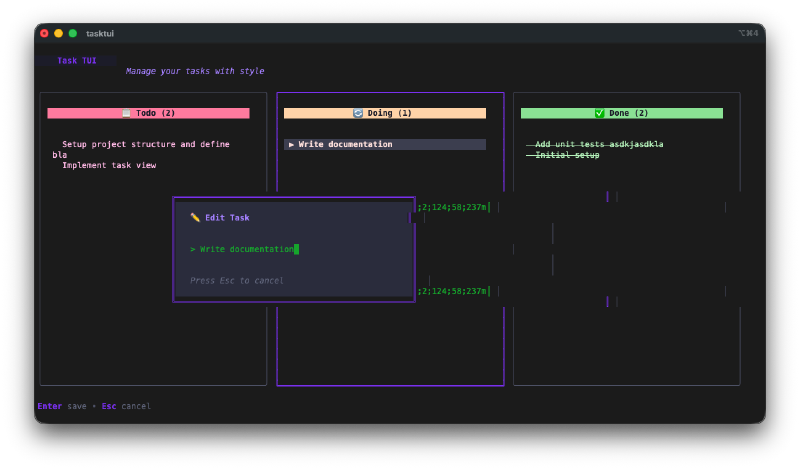
Inline task creation. Press n and a modal pops up where you type the task title and description. It drops right into the Todo column. Press e to edit an existing task the same way.
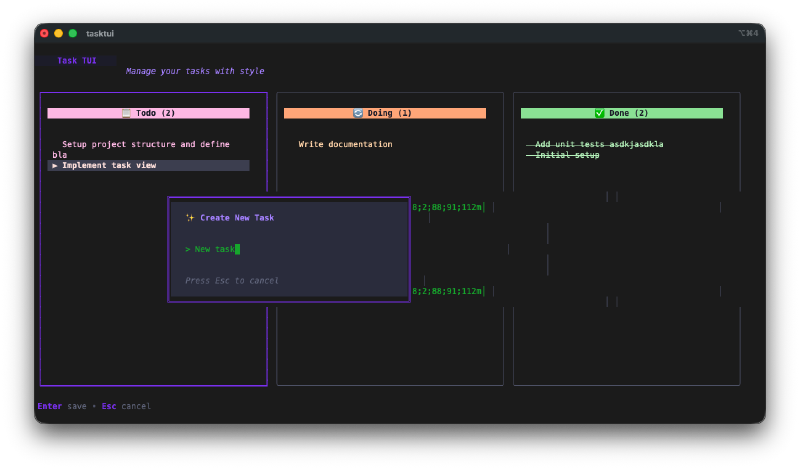
The input dialog has proper field navigation. Tab between title and description, Enter to confirm. It stays out of your way and works exactly like you’d expect.
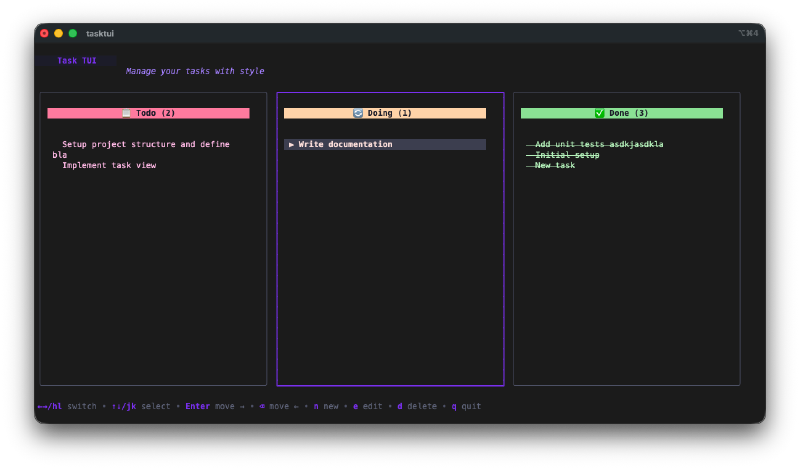
Moving tasks between columns is instant. Press Enter or Space to advance a task forward (Todo to Doing to Done), or Backspace to move it back. You can also use Shift+H and Shift+L to move tasks left and right explicitly. The board has full undo/redo support too.
The CLI commands are handy for quick captures. tasktui add "Fix that bug" drops a task into Todo without opening the TUI. tasktui list --state doing shows what’s in progress. tasktui done 3 marks task 3 as complete. All from the shell.
The MCP server is the interesting part. Run tasktui mcp and it starts a Model Context Protocol server that exposes four tools: list_tasks, add_task, move_task, and delete_task. Add it to your ~/.claude/mcp.json config and Claude Code can manage your tasks directly. The file watcher means if you have the TUI open at the same time, it auto-refreshes whenever Claude makes a change. You can literally watch tasks appear on your board as Claude adds them.
The Bug Reports#
The file watcher occasionally double-fires on saves, which causes a brief visual flicker as the board reloads twice in quick succession. Not a big deal but noticeable. The MCP server mode itself worked cleanly on the first try, which honestly surprised me given how finicky protocol implementations can be.
The Numbers#
- 13 Watchfire tasks from start to packaged release
- 6 CLI commands (root, tui, add, list, done, mcp)
- 4 MCP tools (list_tasks, add_task, move_task, delete_task)
- Go + Bubble Tea + Lip Gloss + Cobra stack
- GoReleaser for cross-platform binary builds
- Total hands-on time: maybe 25 minutes of testing and prompt iteration
Try It#
Install it with:
curl -fsSL https://raw.githubusercontent.com/nunocoracao/Vibe30-day09-tasktui/main/install.sh | shOr build from source:
git clone https://github.com/nunocoracao/Vibe30-day09-tasktui.git
cd Vibe30-day09-tasktui
go build -o tasktui ./cmd/tasktui
To set up MCP integration with Claude Code, add this to ~/.claude/mcp.json:
{
  "mcpServers": {
    "tasktui": {
      "command": "tasktui",
      "args": ["mcp"]
    }
  }
}
Day 9 Verdict#
This doubles down on the Go + Bubble Tea stack but adds something new: AI integration through MCP.
The kanban board itself is solid. It does exactly what a personal task manager should do and nothing more. But the MCP server mode is what makes this one interesting. Having Claude Code manage my task board while I’m working, adding tasks it discovers in code comments, marking things done after it fixes them, that’s a workflow I didn’t know I wanted.
The file watcher ties it all together. The TUI stays open in one terminal pane, Claude works in another, and the board updates in real time. It feels like pair programming with a shared task board between you and the AI.
Nine days in and the projects are starting to connect. GitDash for repo awareness, TaskTUI for task management, both living in the terminal where I actually work. The tools are starting to talk to each other.
This is day 9 of 30 Days of Vibe Coding. Follow along as I ship 30 projects in 30 days using AI-assisted coding.