
Day 14. I wanted to see what a weather app looks like when you strip away every modern UI framework and force everything into a terminal.
The Prompt#
“Build a terminal weather dashboard with ASCII art weather scenes, animated weather effects, and multi-location support”
How It Was Built#
I used Watchfire and it broke the work into 23 tasks. That sounds like a lot for a weather app, but the scope grew fast once ASCII art and animations entered the picture.
The task list covered the expected stuff first: project setup, API integration with Open-Meteo, basic layout. Then it got into the fun territory: 12 unique ASCII art weather scenes (sun, moon, rain, snow, thunderstorm, fog, wind, clouds), particle-based animated effects for each weather condition, temperature and precipitation charts, hourly and daily forecast views, a multi-location dashboard, color themes, mouse support, and a scrollable layout.
23 tasks. I didn’t sit there guiding each one. Watchfire queued them up and worked through them while I did other things.
What I Got#
This one surprised me more than most.
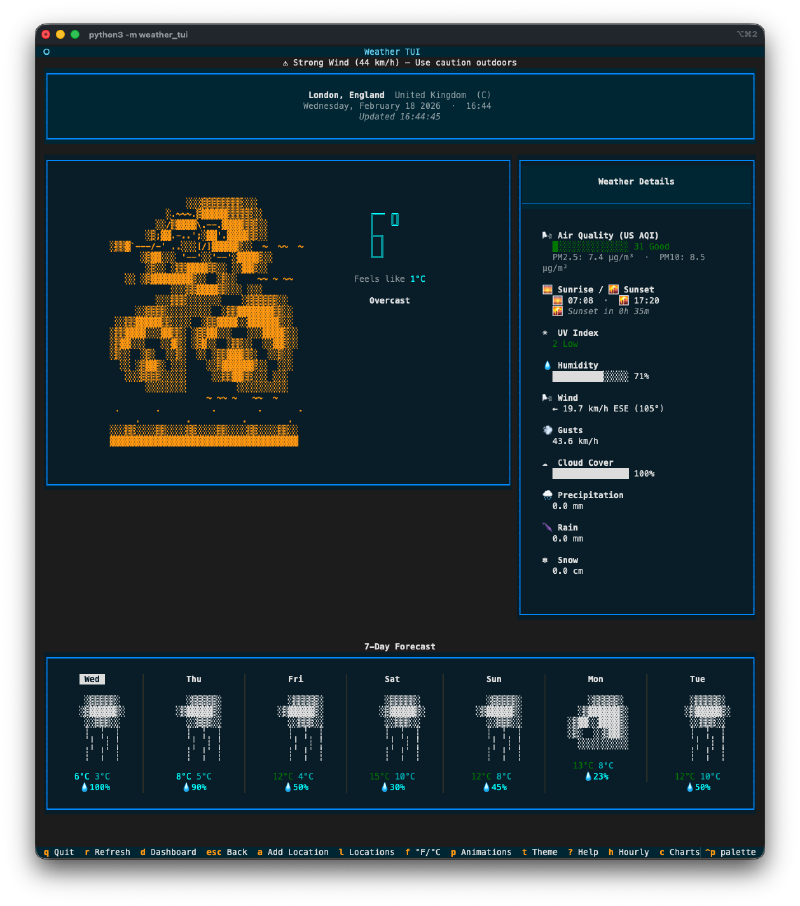
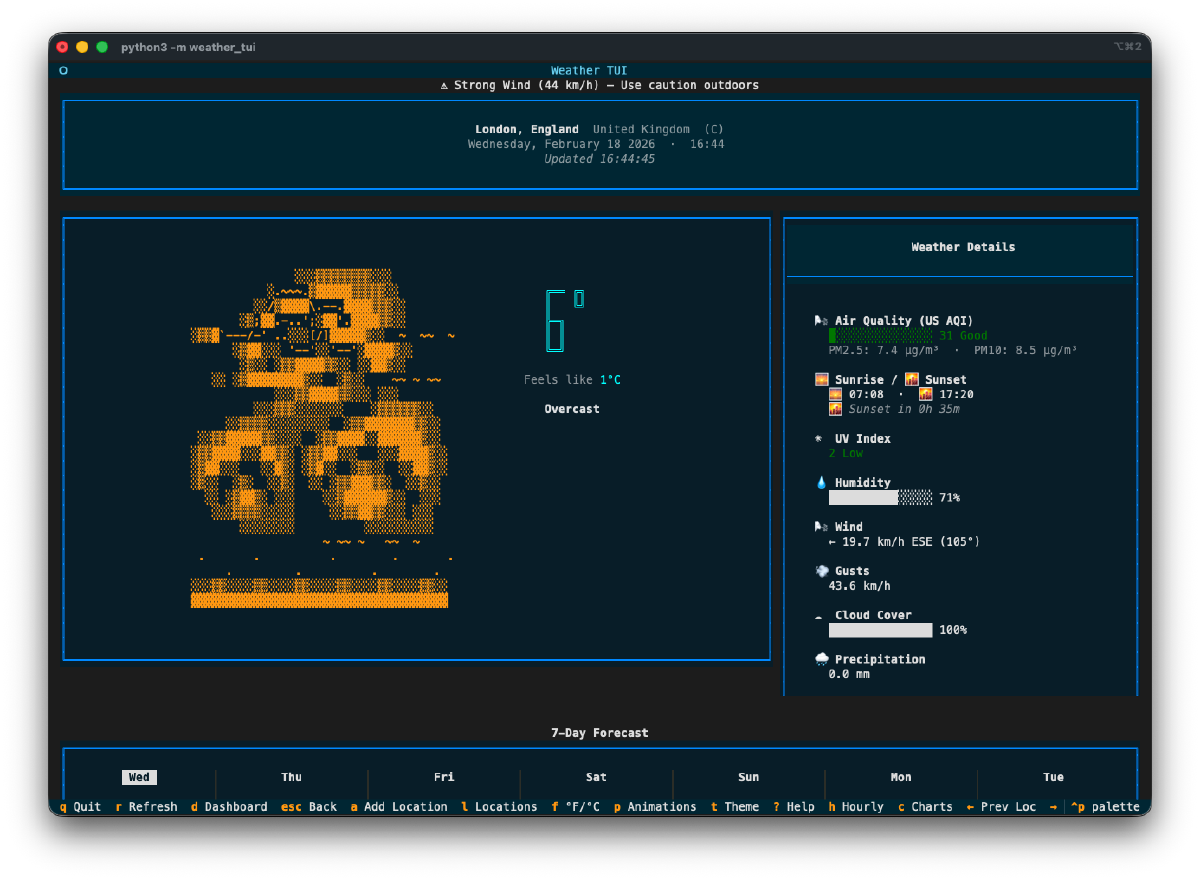
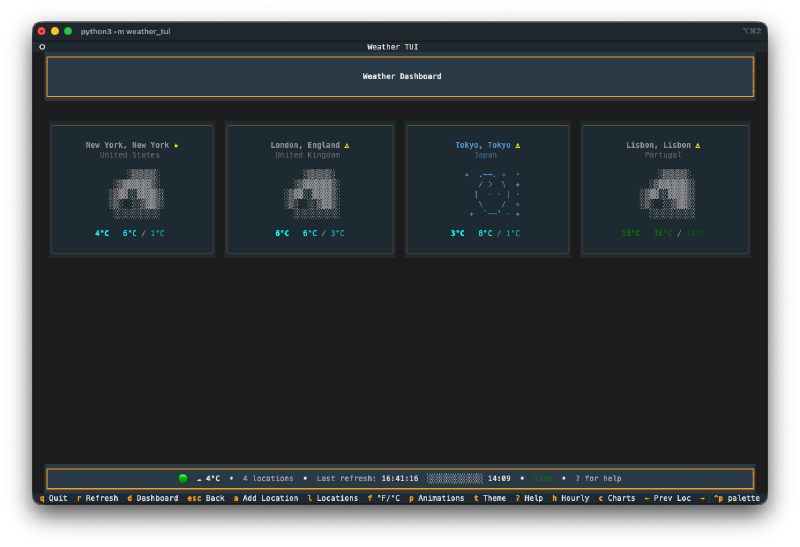
The ASCII art is genuinely impressive. Each weather condition gets its own scene. There’s a big overcast sky with layered clouds, rain with falling droplets, snow with drifting flakes, a sun with radiating rays. The art is detailed and fills the terminal with actual character. Not the lazy “it’s raining: //” kind of ASCII art. Real multi-line scenes with shading and depth.
The animations are smooth. Rain drops fall. Snowflakes drift. Stars twinkle in the night sky. Wind particles blow across the screen. Lightning flashes during thunderstorms. All of this happening in a terminal. You can pause and resume the animations with a single keypress.
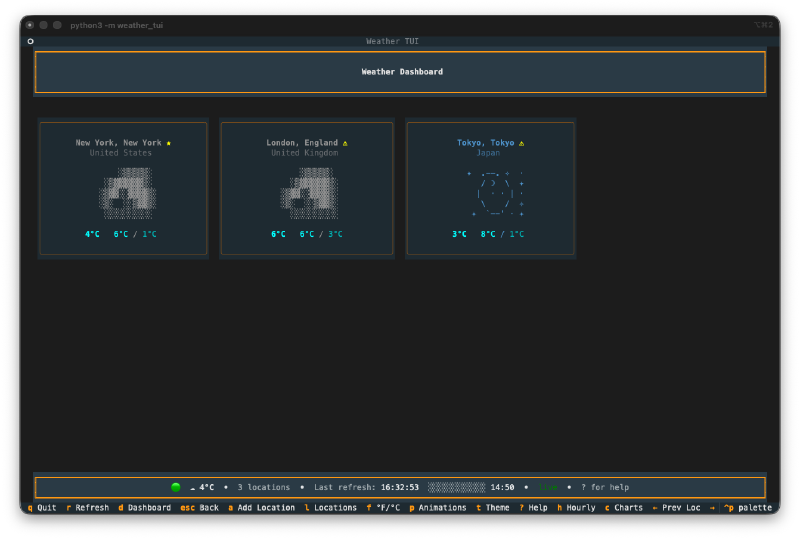
The dashboard is clean. Multiple locations displayed in a grid, each with a small ASCII weather icon, current temperature, and conditions at a glance. Click any card or press a number key to jump into the detailed focused view for that location.
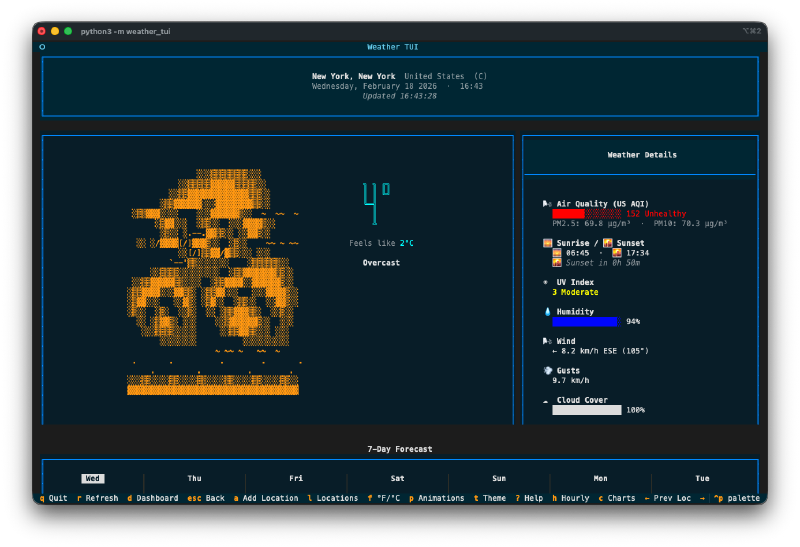
The detail view has everything. Air quality index, sunrise/sunset times, UV index with color coding, humidity bar, wind speed and direction, cloud cover, precipitation breakdown (rain vs snow). Plus a 7-day forecast at the bottom with mini ASCII art for each day. You can toggle to a 12-hour hourly view too.
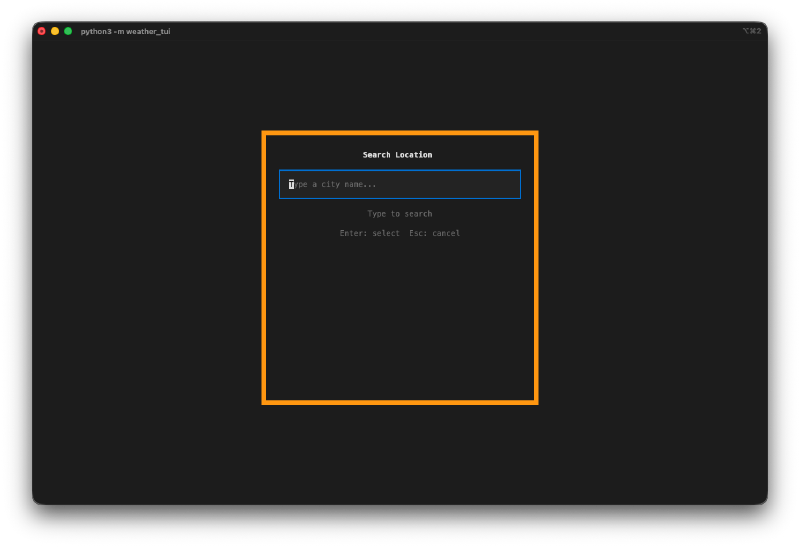
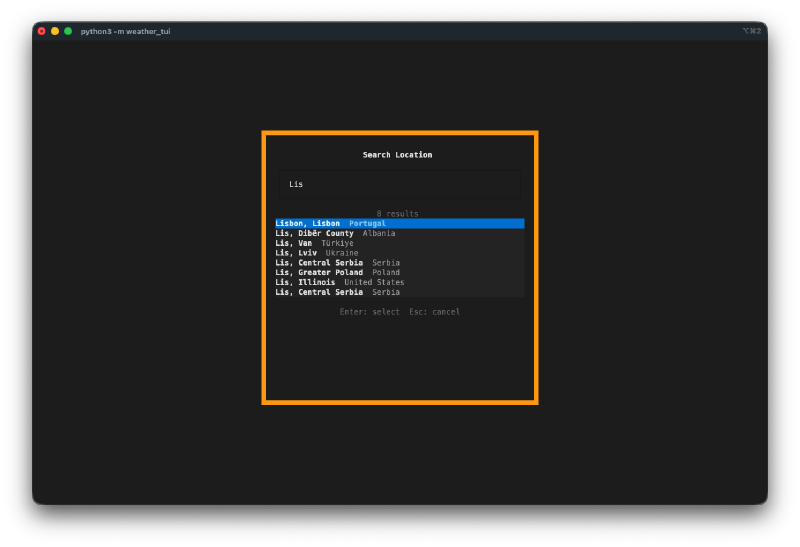
Location management works well. Search for any city worldwide, add it to your dashboard, reorder locations, set a default. The geocoding search returns results quickly and the selection interface is clean.
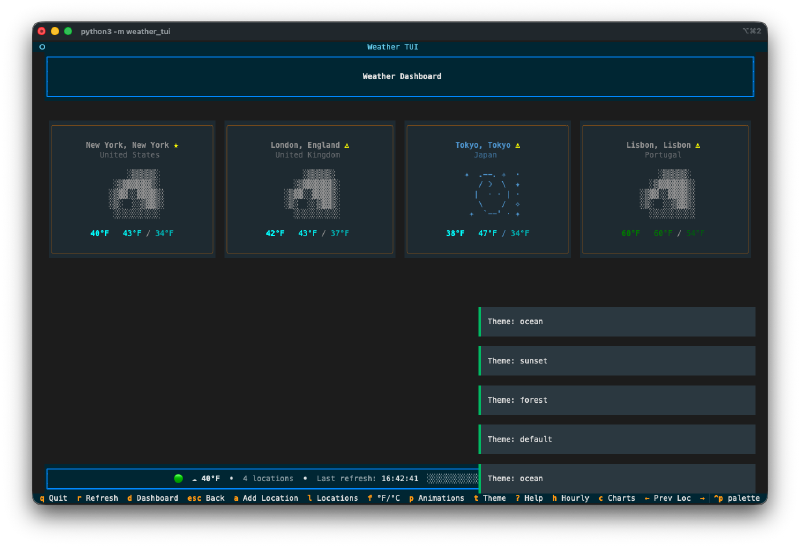
Four color themes. Default, ocean (blues and cyans), sunset (warm oranges), and forest (greens and earth tones). Press t to cycle through them. Your preference gets saved to a config file.
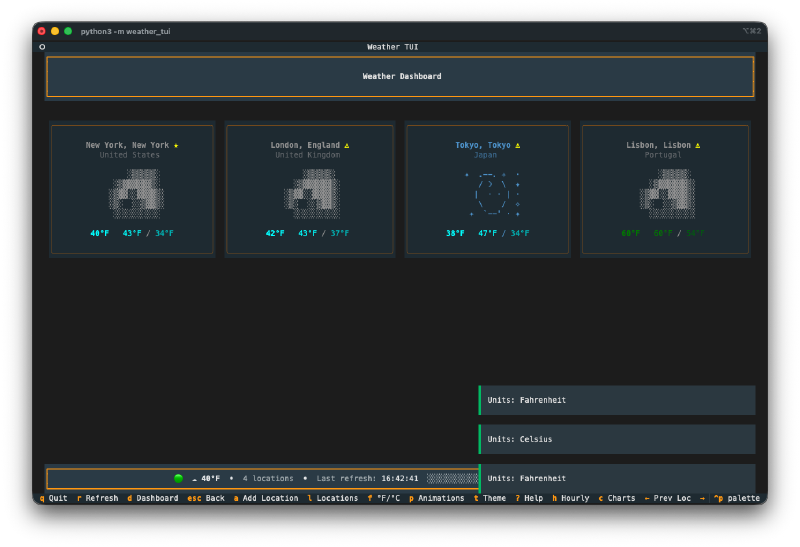
No API key required. It uses the free Open-Meteo API, so you clone it, install dependencies, and run. No sign-up, no tokens, no configuration needed.
The Numbers#
- 12 unique ASCII art weather scenes with matching animated effects
- 4 color themes with persistent preferences
- 23 Watchfire tasks from setup to final polish
- Built with Python and Textual (the TUI framework by Textualize)
- Total hands-on time: maybe 20 minutes of trying different cities and cycling through themes
Try It#
Clone the repo and run python -m weather_tui. No API key needed. Arrow keys to navigate, number keys to jump between locations, t to change themes, ? for the full keybinding list.
Day 14 Verdict#
The ASCII art alone would have taken me days to design by hand. The animated weather effects on top of that? I wouldn’t have even attempted it.
What gets me is the attention to detail. The 7-day forecast cards each have their own tiny ASCII weather icon. The humidity shows as a progress bar. Wind includes both speed and compass direction. The UV index changes color based on severity. None of that was specified explicitly. It just understood that a weather dashboard needs these things and built them all.
Terminal apps seem to be a sweet spot for AI-assisted coding. The constraints of a text-based interface help focus the output rather than limiting it.
This is day 14 of 30 Days of Vibe Coding. Follow along as I ship 30 projects in 30 days using AI-assisted coding.